Corner unit with a carousel
L-shaped corner with a 3/4 carousel or shelves. Open the doors with one click and look inside from any side.
For joiners and cabinet makers
Design in 3D, then get the cut list, nesting and CNC files and a quote for the client. Nothing to install.
Free to design, no sign-up.
Real screen recordings of Tektonis CAD at normal speed.
Video tutorial, 3 min
From a room with a window to the cut list, CNC files and the quote in pounds. A real recording of the program at normal speed; the chapters jump straight to a feature.
Installed program
Tektonis CAD
Installed on one Windows PC
Open a link in the browser: laptop, Mac, tablet, phone
Licence of several thousand to start
£19 a month, no long contract
CNC and nesting sold as extra modules
3D, cut list, nesting DXF and CNC in one plan
The project stays on the workshop PC
The project is in the cloud, open it at the client's on your phone
You send the client a screenshot
The client gets a link and turns the furniture in 3D
Pay again for the next version
New features included, no upgrade fees
Every film is a screen recording at real speed. It works the same on your machine.
L-shaped corner with a 3/4 carousel or shelves. Open the doors with one click and look inside from any side.
Slab, frame, shaker, horizontal groove, V-groove, fluted, slatted and glazed frame. One click to change, the machining price updates itself.
Cut list with edging, DXF sheets with the parts laid out (small parts go into corner cut-outs) and MPR and CIX programs with the drilling.
Full-screen 3D, rotate with a finger, the same tools as on a computer. Design at the client's, on site or in the van.
Virtual reality
Put the headset on the client and they stand in their own room at 1:1 scale. They see the worktop height, the depth of the units and the gap between island and wall. The trigger moves them a metre on.
Works in a headset browser with WebXR, such as Meta Quest. No app to install.
AI visualisation
One click turns the editor's boxes into a photo-realistic interior: daylight from the window, door textures, worktop, accessories. The layout, sizes and colours stay as designed. The client sees their kitchen before you cut a board.
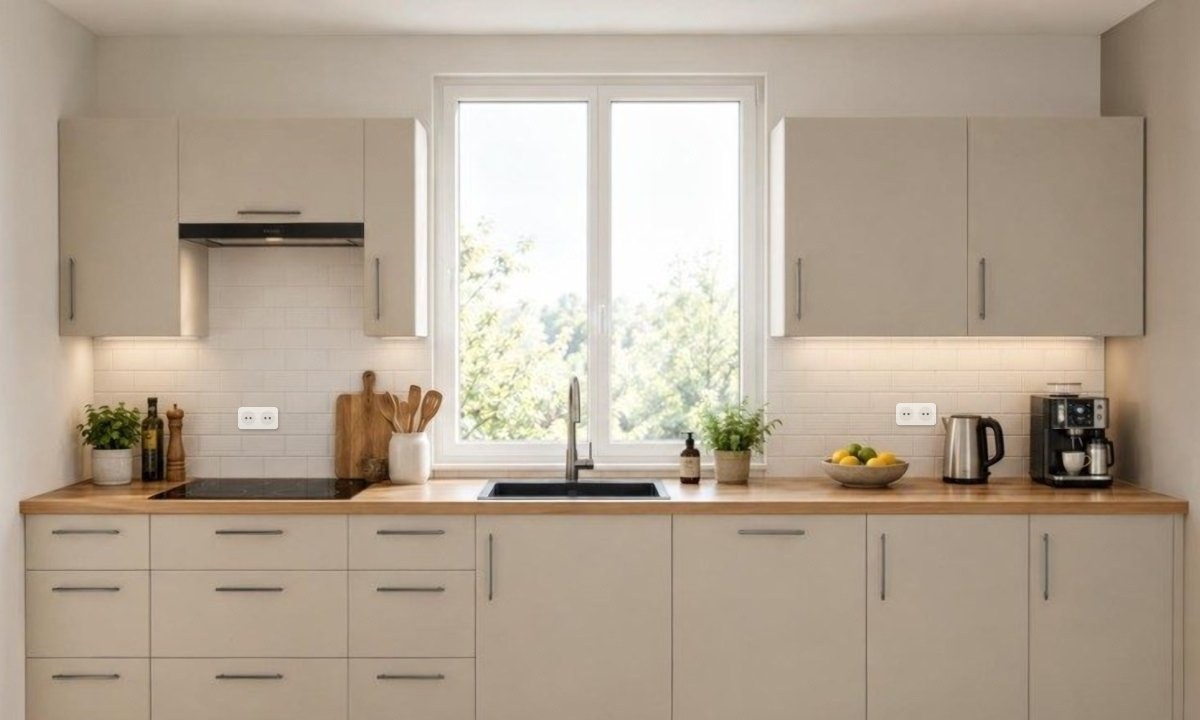
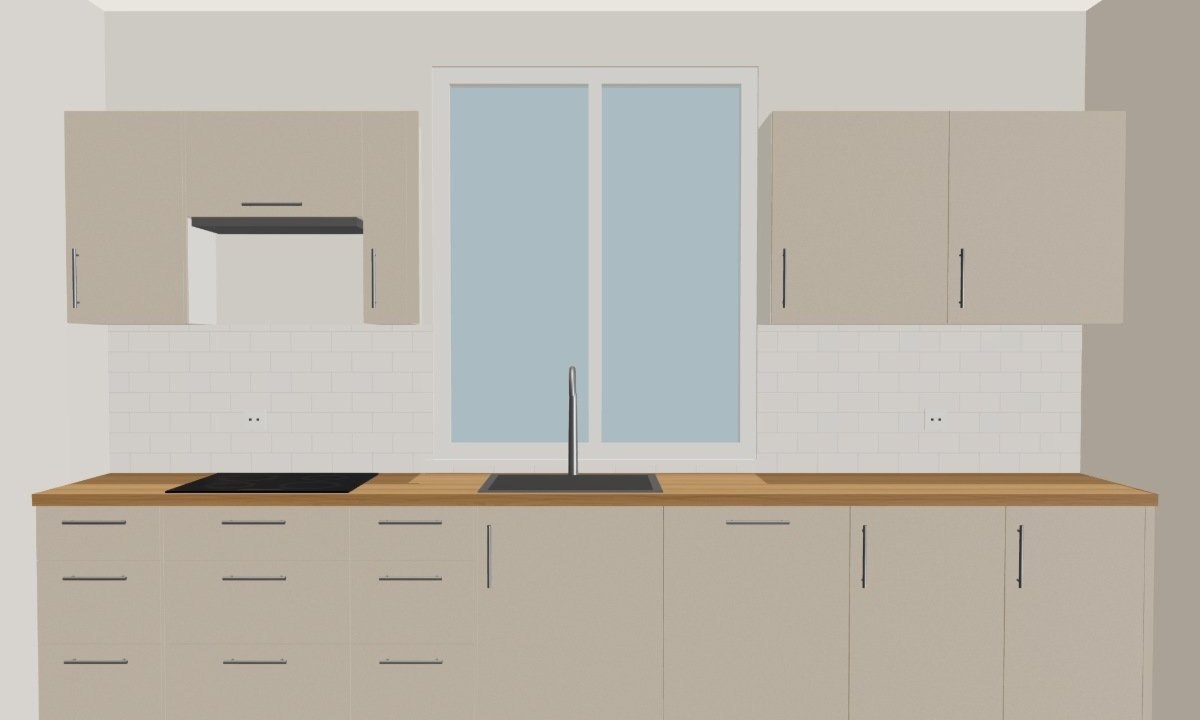 3D3D view from the editorAIAI visualisation, not retouched
The visualisation is illustrative. The drawings, cut list and quote are what count.
Nothing is drawn twice. The same unit is in 3D, in the quote, on the cut list and in the CNC file.
Room sizes, sloped ceilings, windows, doors, columns and recesses. An L-shaped room takes seconds.
Units from templates or from scratch: split the carcass into shelves, drawers and doors. Worktop, plinth, trims and LED add themselves.
Photo-realistic AI visualisation, 360 panorama, a PDF with wall elevations and a 3D preview link. Show changes straight away.
Cut list with edging, barcode labels, drilling, nesting DXF and MPR and CIX files for the CNC router.
Split the carcass into sections, shelves, drawers and doors. Boards of any shape: chamfers, radii and cut-outs.
Kitchen units and appliances, L-corners with carousels, rails, pull-outs, internal drawers, cornices and fillers.
Sloped ceilings, windows, doors, columns, L-shaped rooms. Units snap to the wall and never go through it.
Cut list with edging and grain direction, CSV for the board supplier, a cutting optimiser and Code 128 labels.
Sheet by sheet DXF with layers for outlines and cut-outs. MPR (WoodWOP) and CIX (Biesse) programs with hinge and confirmat drilling.
Price from your own rates and margin with UK VAT, a PDF with wall elevations, title block and a 3D picture. The client approves online.
Turn the 3D scene into a photo-realistic interior or a 360 panorama. The client sees their kitchen, not boxes.
Import GLB and OBJ up to 50 MB: a sofa, a fridge, a lamp from the maker. Export GLB and OBJ for other programs.
In a headset with a WebXR browser, such as Meta Quest, walk around the room at 1:1 scale.
List prices from the makers, checked on 7 November 2026, in their own currency and before VAT.
| Program | Price | Runs on | CNC |
|---|---|---|---|
| Tektonis CAD | £19 a month or £190 a year, VAT included | Browser: computer, tablet, phone, VR headset | MPR, CIX, nesting DXF |
| Polyboard Pro | $2,795 one-off | Windows, macOS | No (Pro PP only) |
| Polyboard Pro PP | $5,295 one-off | Windows, macOS | Yes |
| Mozaik Manufacturing | $125 a month | Windows | No (CNC plan) |
| Mozaik CNC | $225 a month | Windows | Yes |
Prices may change; the makers publish the current ones. Program names belong to their owners.
Tektonis CAD plan
£19a monthor £190 a year, 2 months free
Subscription you cancel any time. VAT included; Stripe handles the payment and the receipt. You subscribe from inside the CAD when you first export.